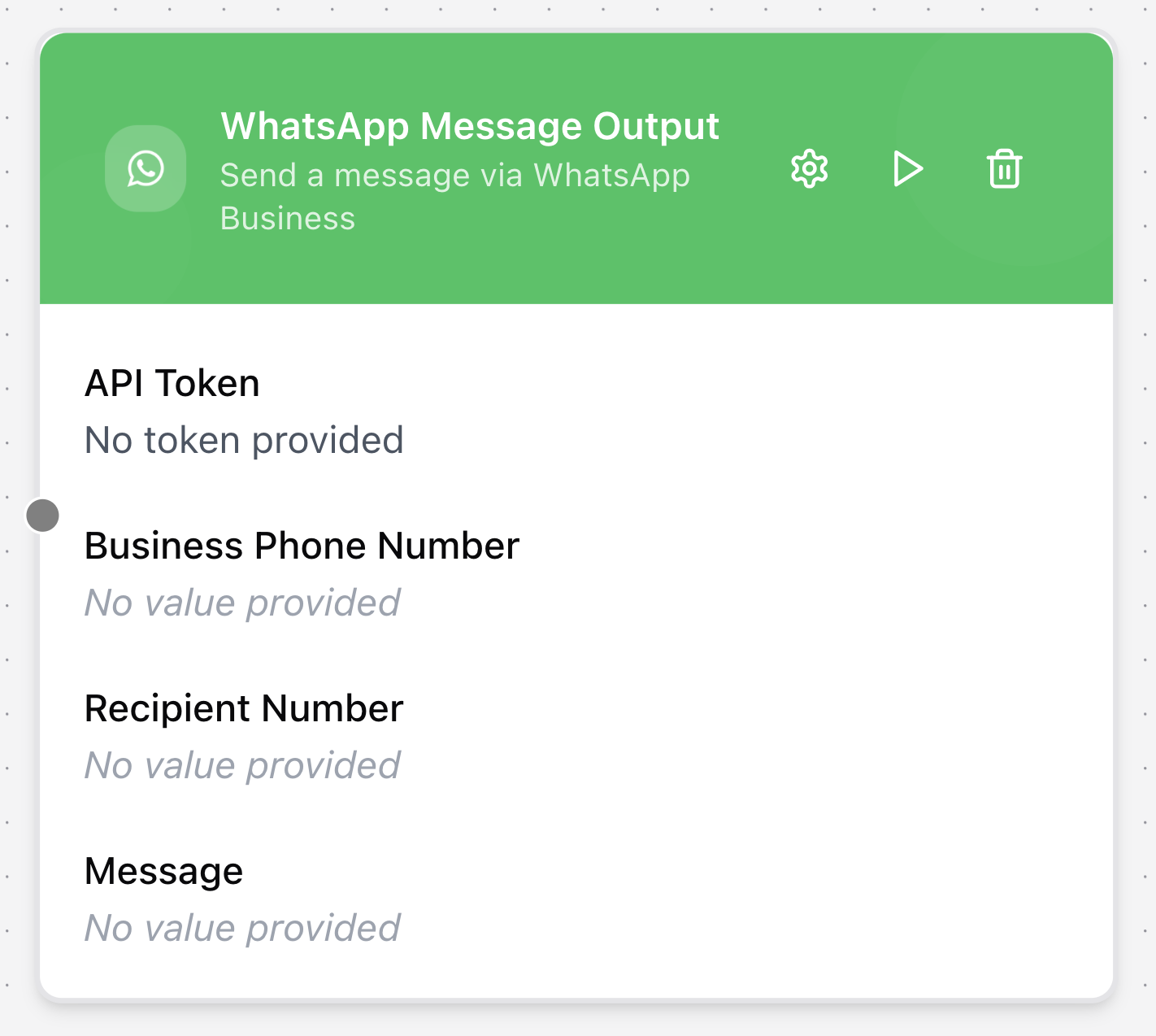
WhatsApp Message
The WhatsApp Message node sends messages directly to a WhatsApp number. It allows workflows to deliver real-time notifications or structured communication through the WhatsApp platform.
Configuring the node
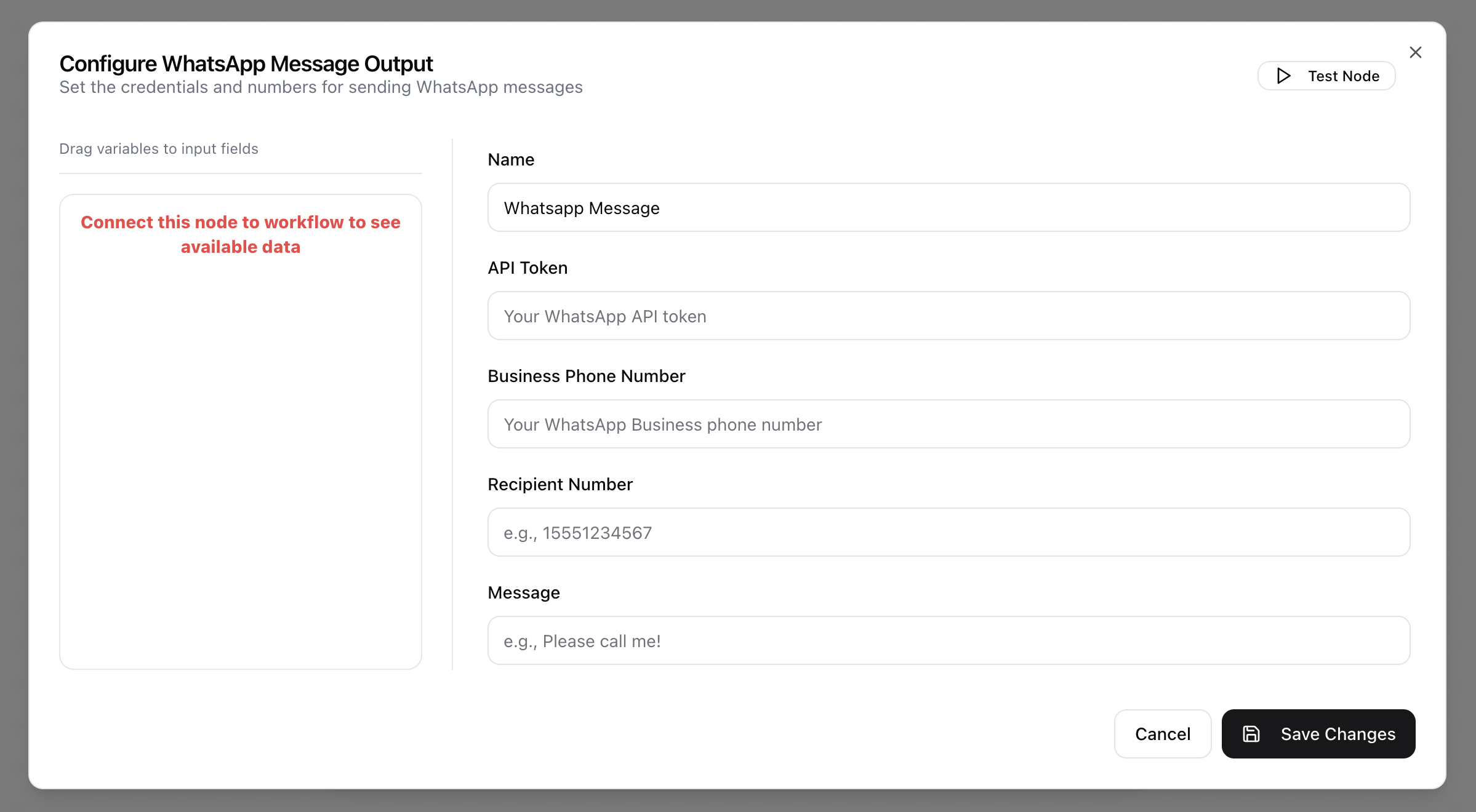
- Click in the node header.
- The Configure WhatsApp Message Output dialog will open.
- Provide a descriptive Name for the tool.
- Enter the API Token for authentication.
- Provide your WhatsApp Business Phone Number.
- Specify the Recipient Number, the WhatsApp number that will receive the message.
- Enter the Message content.