Introduction
Welcome to GenAssist, the AI platform designed to automate and enhance your customer engagement interactions. These docs are a comprehensive guide to using the platform, covering everything from configuring your first integrations to building and managing powerful workflows tailored to your business needs.
What is GenAssist?
GenAssist is a software platform that allows you to create automated processes, called Workflows. These workflows can handle customer queries, answer questions using internal documents, and perform tasks; effectively serving as an AI-driven extension of your customer engagement team.
A key feature of GenAssist is its self-hosted architecture. The entire platform is deployed within your own infrastructure. This means you retain complete ownership and control over all your data, from chat transcripts to internal documents, ensuring maximum privacy and security.
Core Building Blocks
To get the most out of GenAssist, it is important to understand how its components fit together.
- Workflows are high-level processes you design to accomplish a task, like resolving a customer issue. They contain the complete logic from start to finish.
- Nodes are the building blocks of a workflow. They represent individual steps or actions, such as receiving user input or making a decision, and are connected to form the complete workflow.
- Integrations are connections to other systems or resources that nodes require to perform their tasks. You must configure these first, such as connecting to an LLM for AI reasoning or setting up knowledge bases for information retrieval.
Bird’s-eye View of the UI
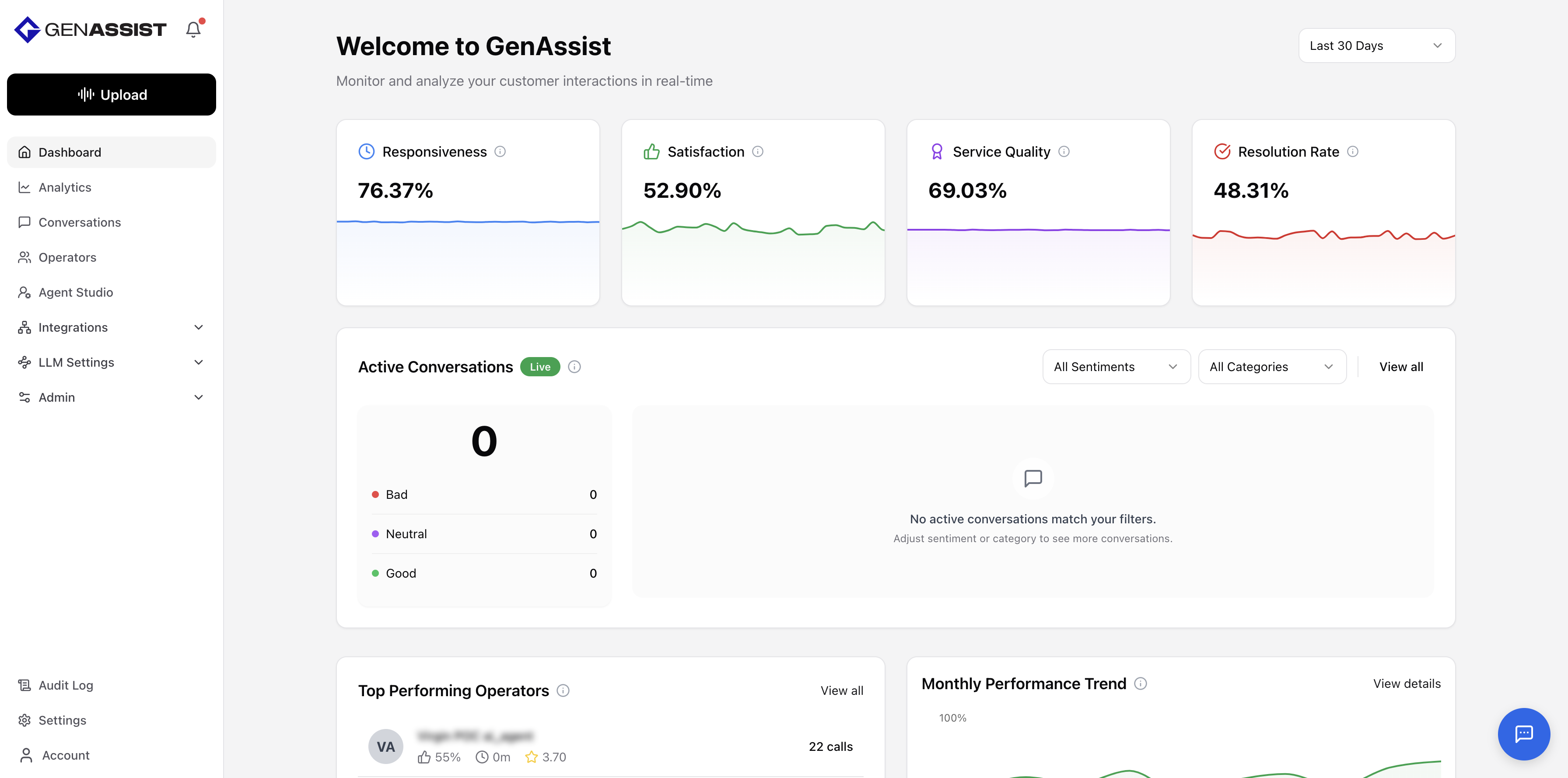
When you log in to GenAssist, you are presented with the Dashboard. This central hub offers a complete overview of your customer engagement operations, showcasing essential metrics, active conversations, top-performing operators, trends, and transcripts. The left sidebar serves as your primary navigation tool, providing access to all GenAssist features.
Who are These Docs For?
These docs are intended for:
- Administrators: Responsible for managing the platform, including users and integrations.
- Workflow developers: Responsible for creating, testing, and deploying the customer engagement workflows.