Variables
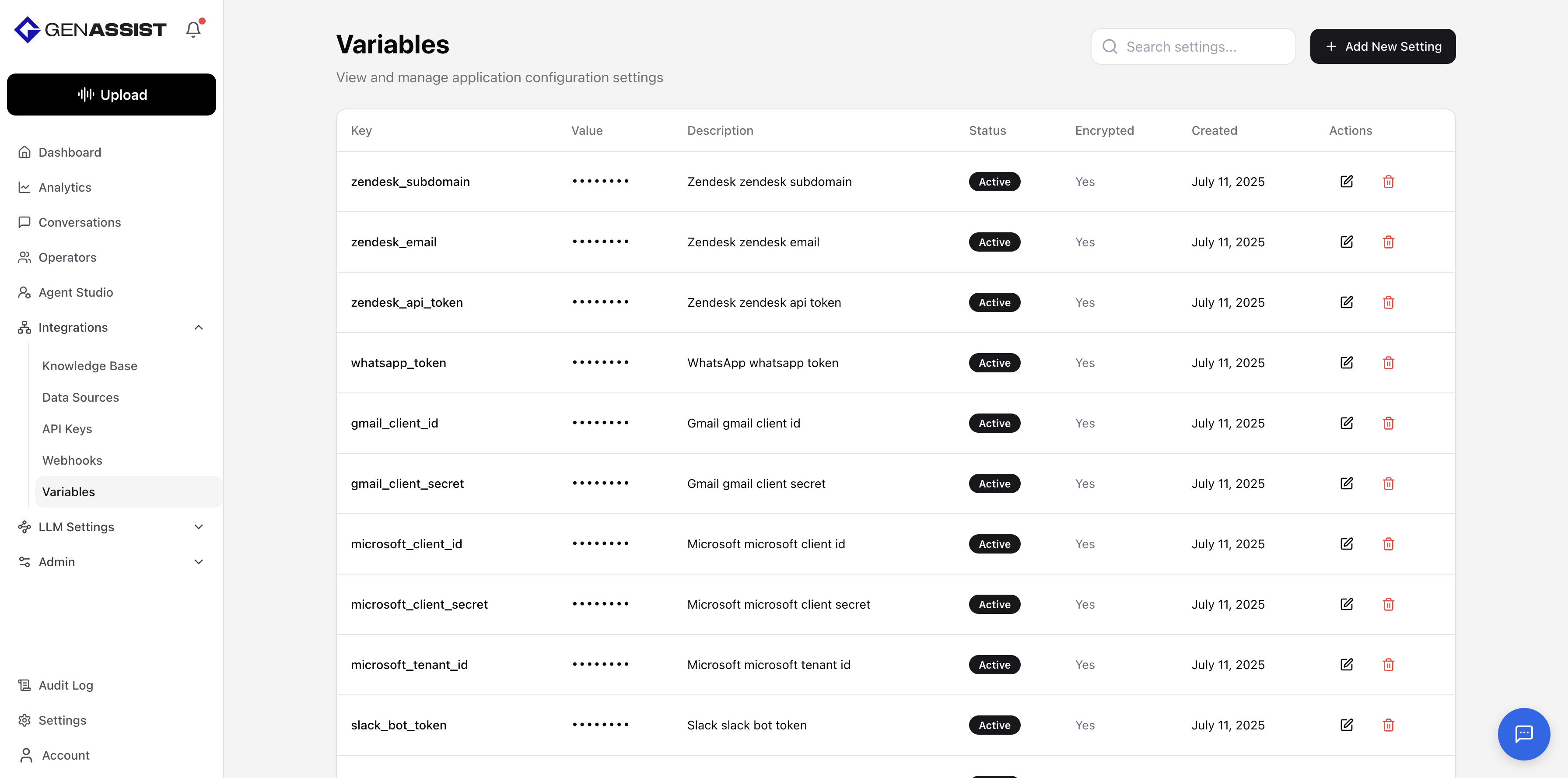
Variables are used to store and manage reusable pieces of information, such as API credentials, URLs, or configuration settings, in a central location. This avoids hardcoding values directly into workflows and allows for easier updates. For sensitive information, variables can be encrypted.
To manage variables, navigate to Integrations → Variables from the main navigation menu. This screen lists all existing variables.
Creating a Variable
- Click the + Add New Setting button in the top-right corner.
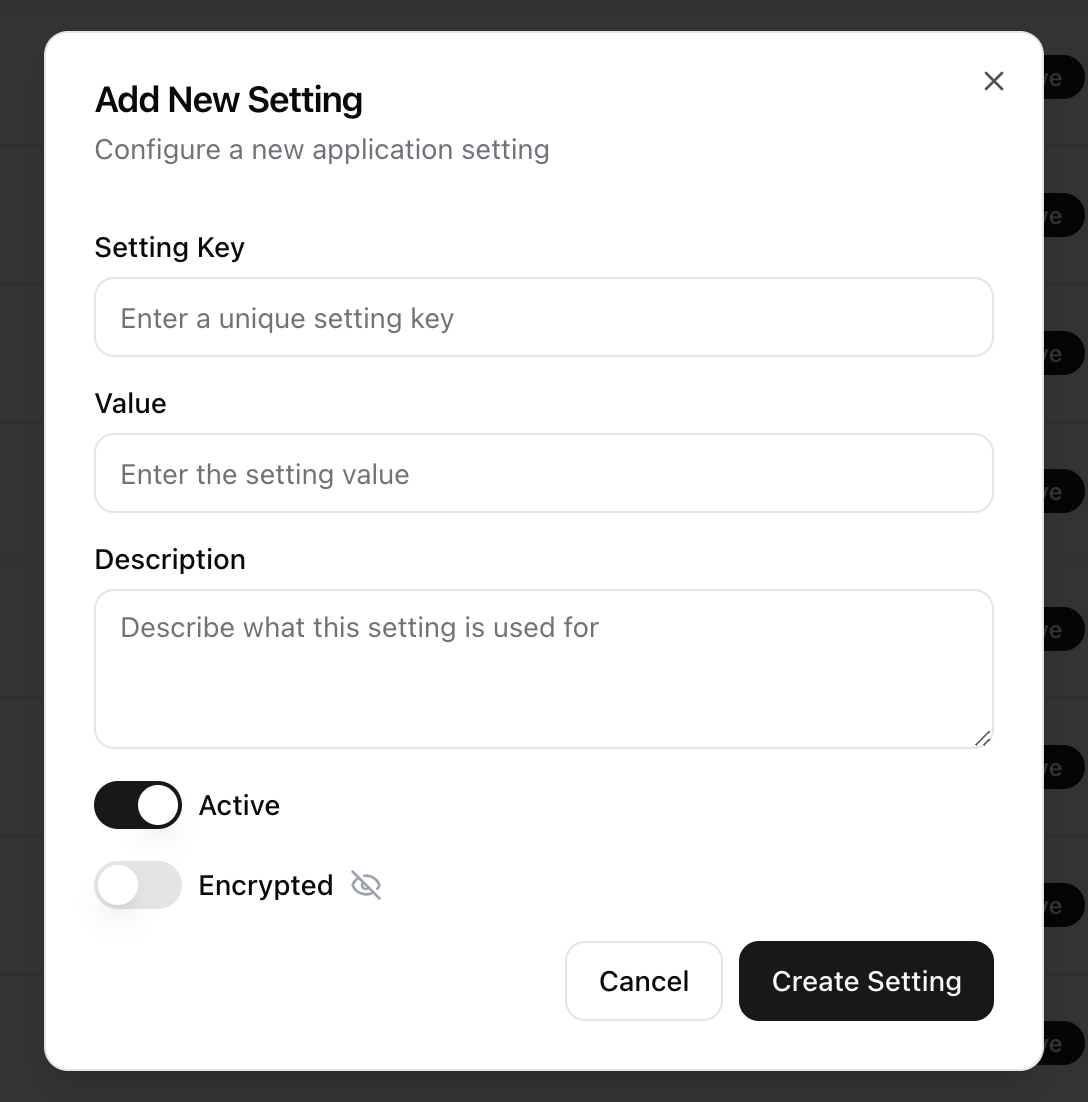
- The Add New Setting dialog will appear.
- Enter a unique Setting Key. This key is used to reference the variable in workflows.
- Enter the Value for the variable.
- Provide a Description to explain what the variable is used for.
- Use the toggles to set the variable as Active and to enable or disable Encrypted. When encrypted, the value will be hidden after creation.
- Click Create Setting.
Editing a Variable
- Click in the Action column.
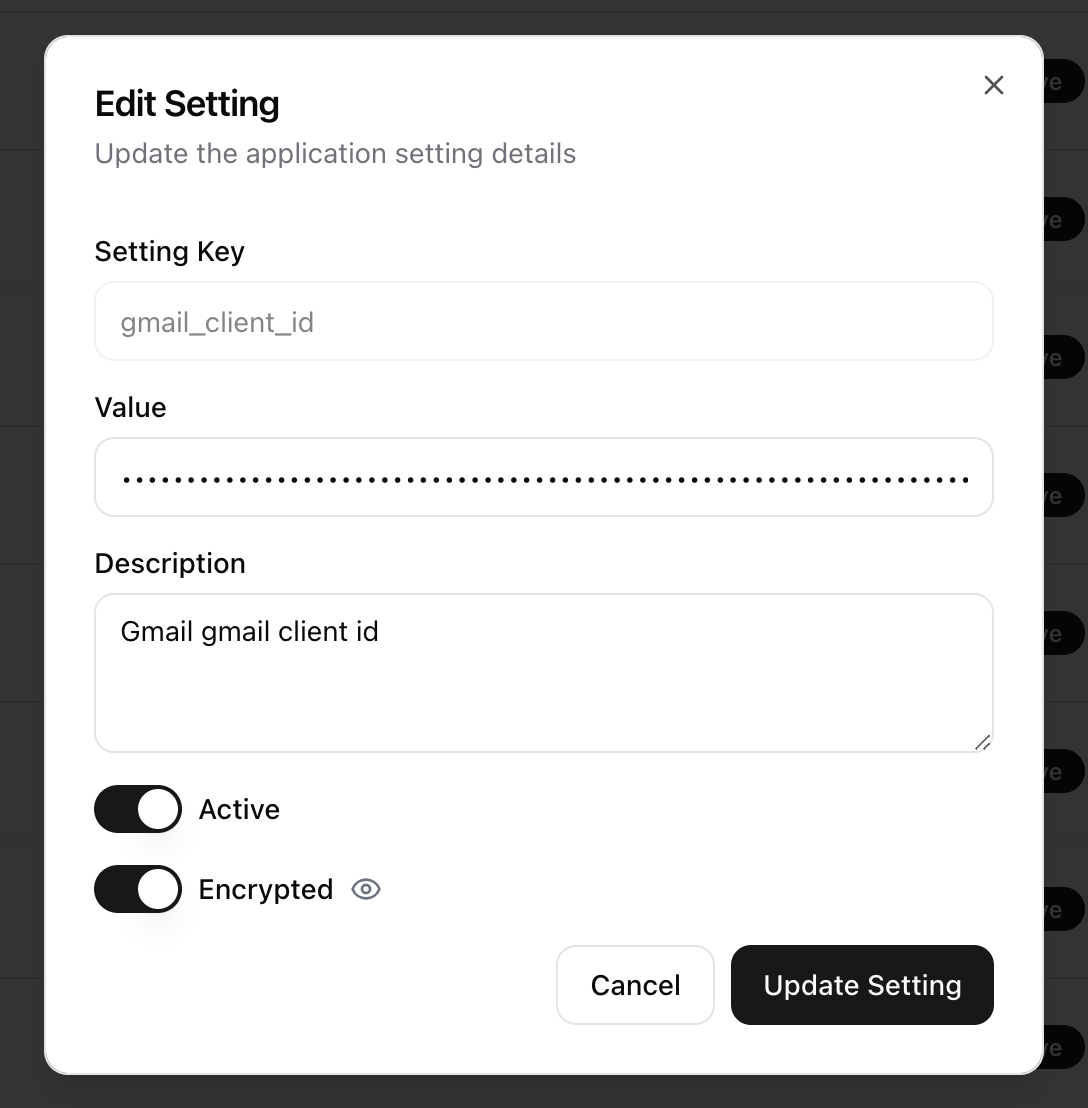
- The Edit Setting dialog will appear, prefilled with the existing information.
- Make the necessary changes. The Setting Key cannot be changed after creation.
- Click Update Setting to save the changes.
Deleting a Variable
- Click in the Action column.
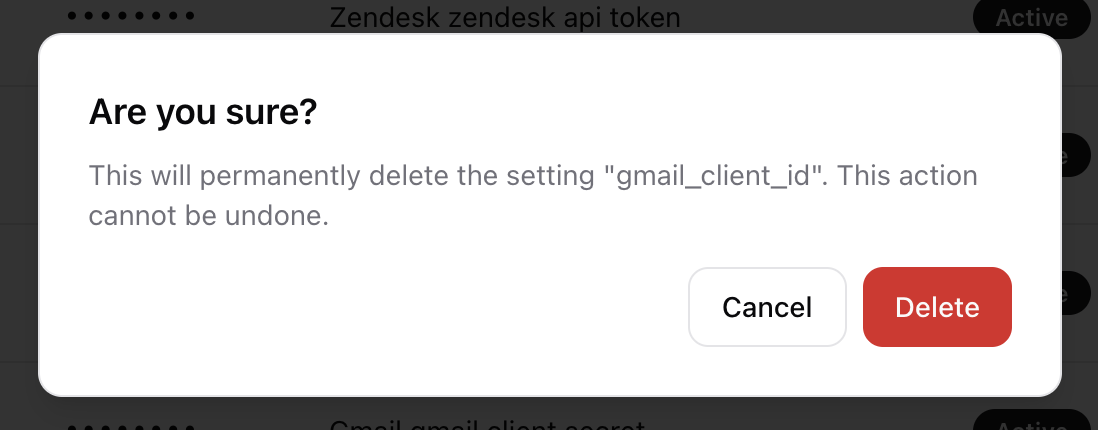
- A confirmation dialog will appear to prevent accidental deletion.
- Click Delete to permanently remove the variable.