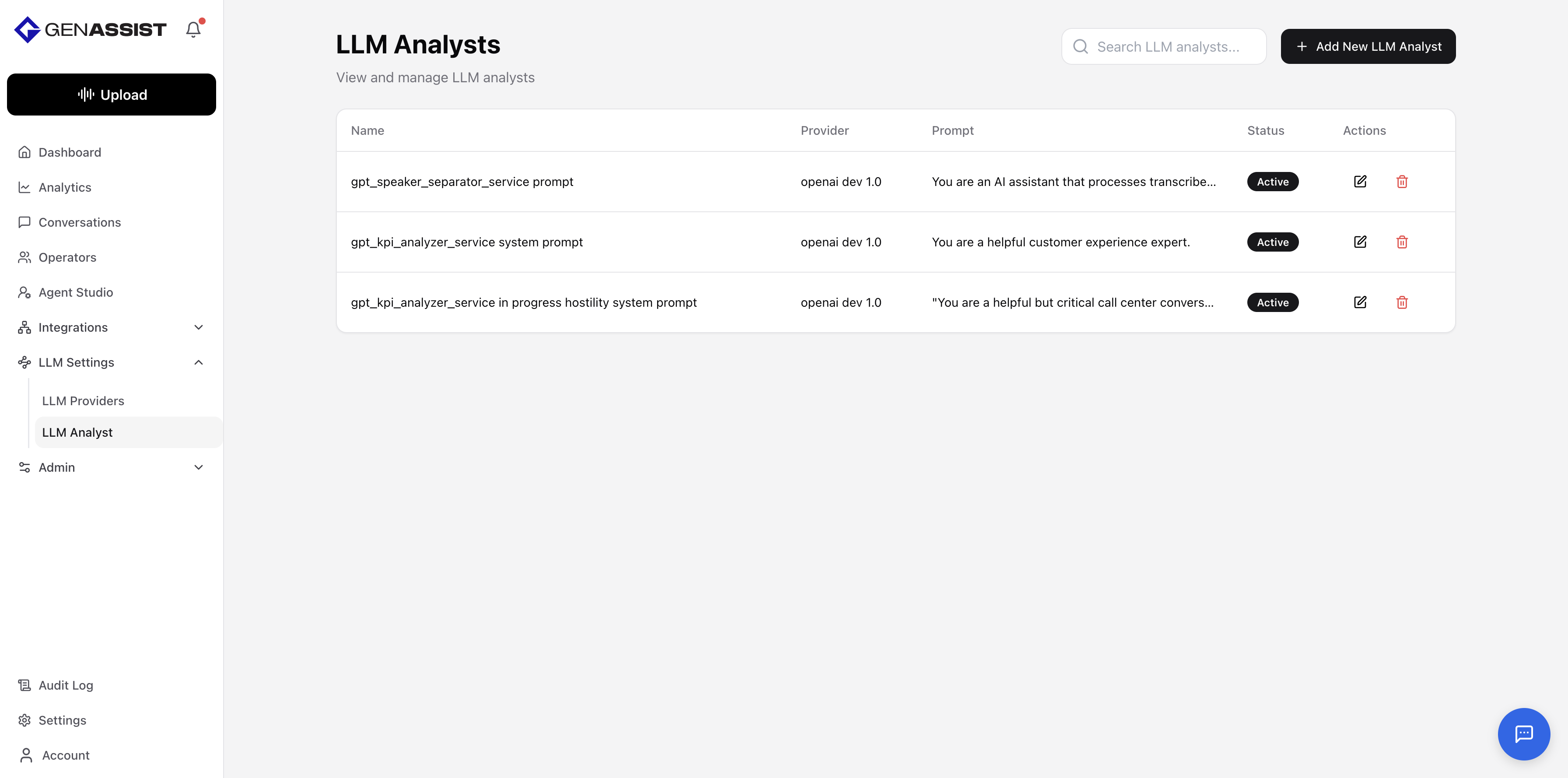
LLM Analysts
An LLM Analyst is a reusable configuration that pairs a specific LLM Provider with a custom Prompt. This allows you to create specialized AI “personas” for consistent analysis tasks across the platform, such as sentiment analysis or data categorization.
To manage LLM Analysts, navigate to LLM Settings → LLM Analyst from the main navigation menu. This screen lists all existing analysts.
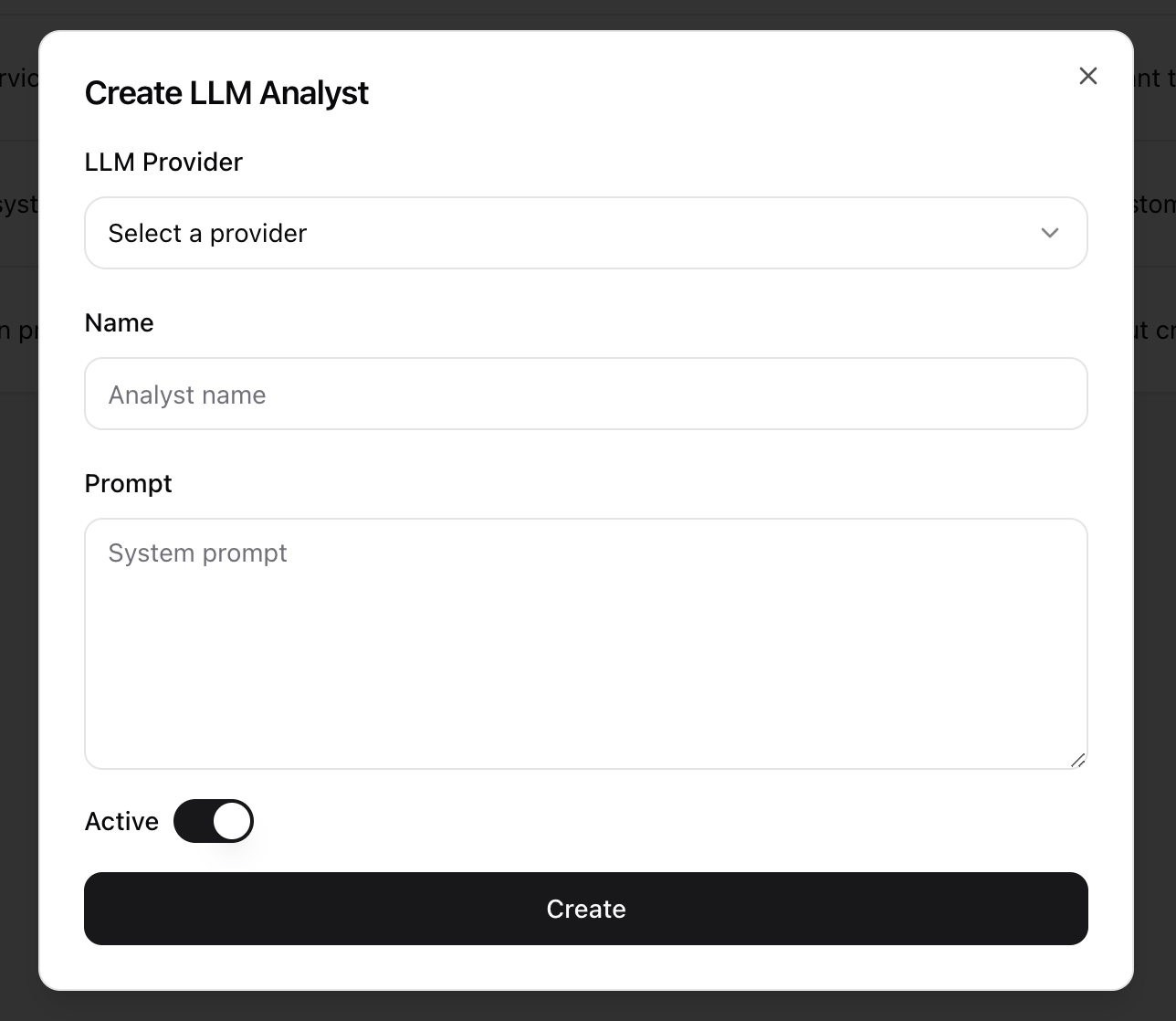
Creating an LLM Analyst
- Click the + Add New LLM Analyst button in the top-right corner.
- The Create LLM Analyst dialog will appear.
- Select a preconfigured LLM Provider from the drop-down menu.
- Provide a unique Name for the analyst.
- Enter the system Prompt that will define the analyst’s behavior and purpose.
- Ensure the Active toggle is enabled.
- Click Create.
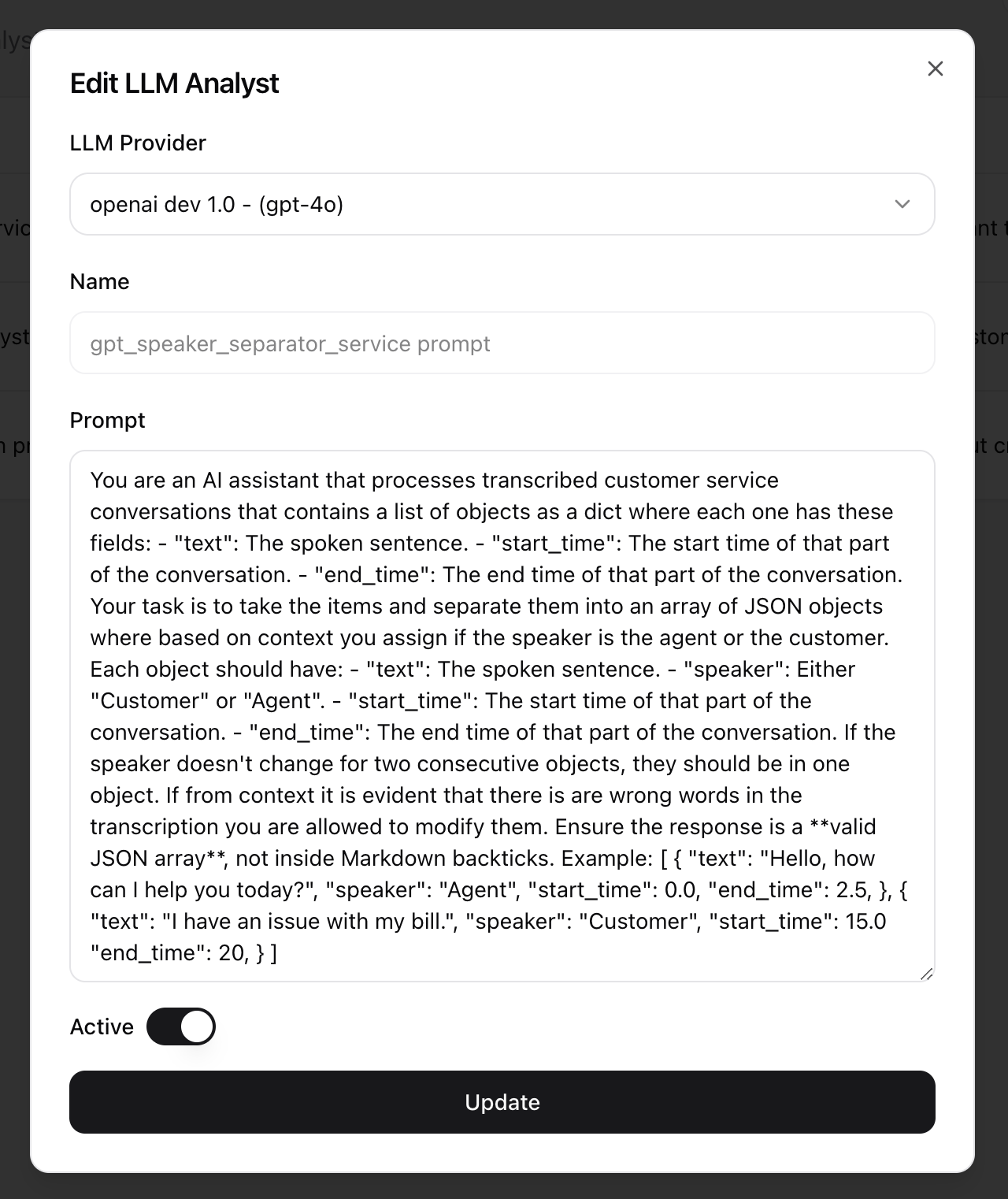
Editing an LLM Analyst
- Click in the Action column.
- The Edit LLM Analyst dialog will appear, prefilled with the existing information.
- Make the necessary changes. The Name cannot be changed after creation.
- Click Update to save the changes.
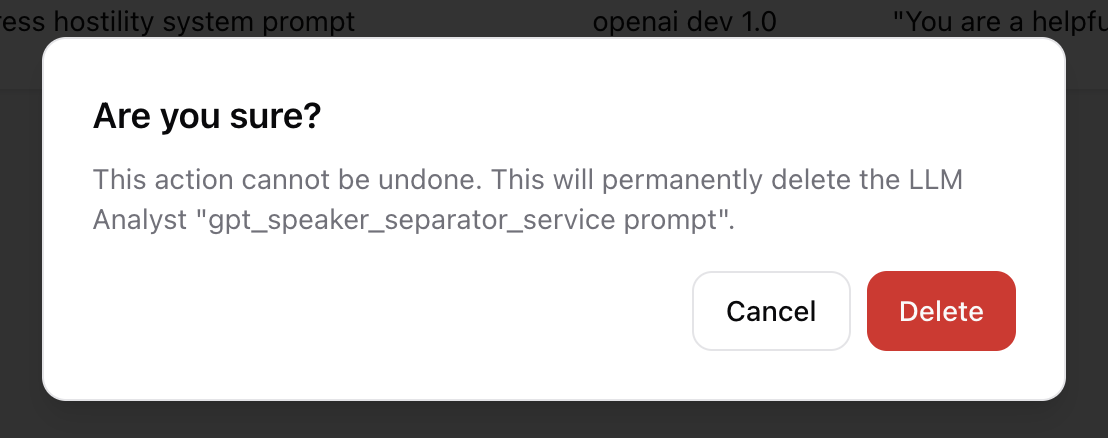
Deleting an LLM Analyst
- Click in the Action column.
- A confirmation dialog will appear to prevent accidental deletion.
- Click Delete to permanently remove the LLM analyst.