API Keys
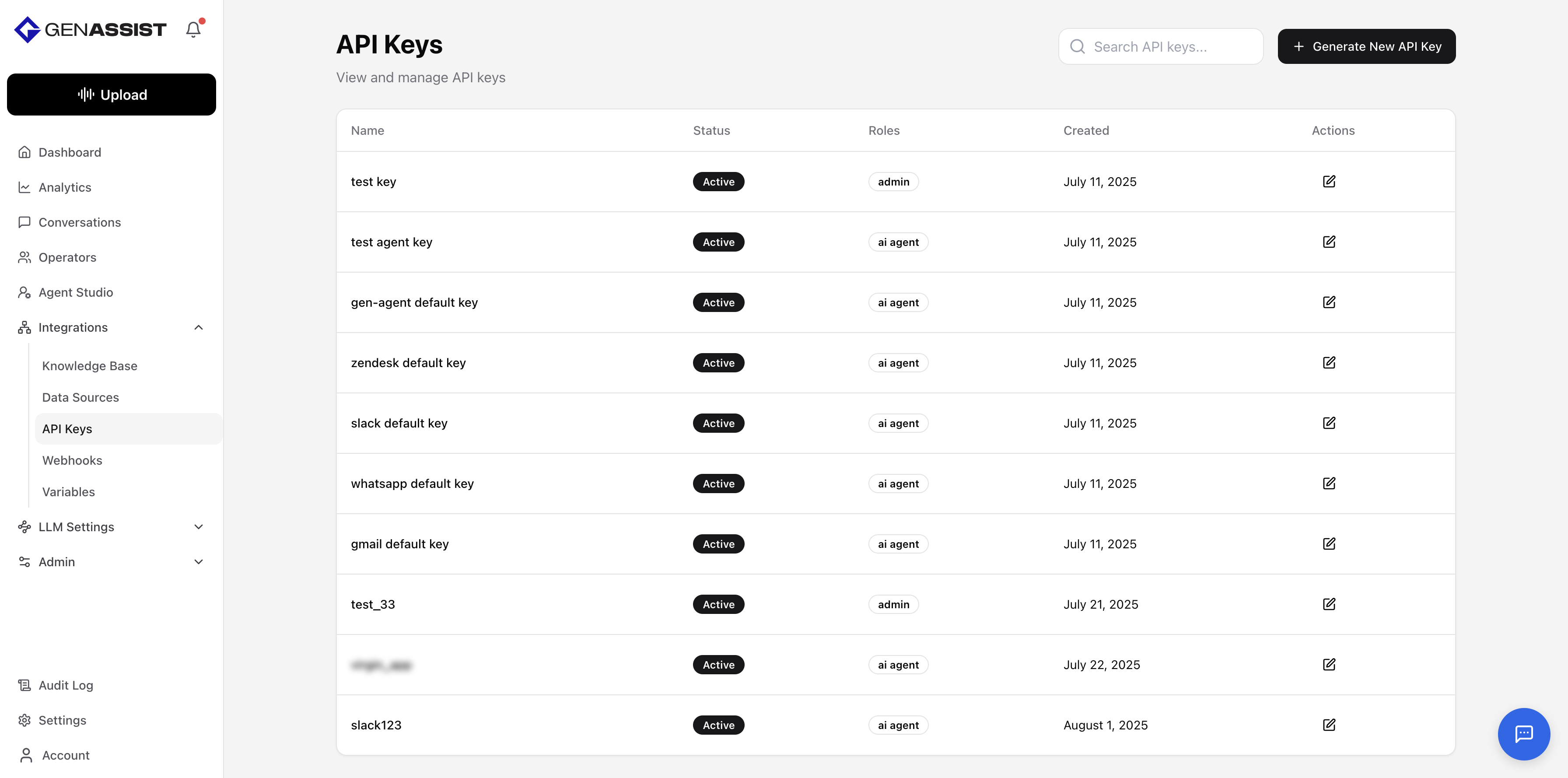
API keys provide a way to authenticate external applications or scripts that need to interact with the GenAssist platform.
To manage API keys, navigate to Integrations → API Keys from the main navigation menu. This screen lists all existing keys.
Generating an API Key
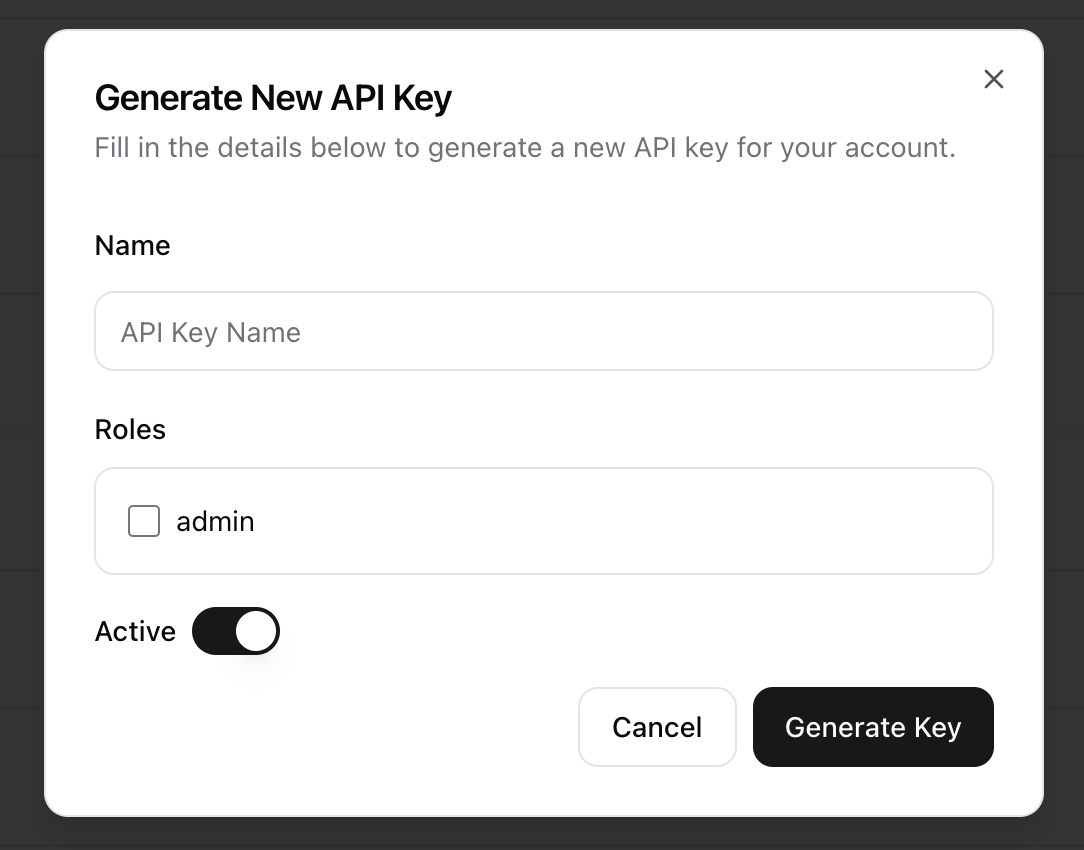
- Click the + Generate New API Key button in the top-right corner.
- The Generate New API Key dialog will appear.
- Provide a unique Name for the key.
- Select the appropriate Roles the key should have.
- Use the toggle to set the key as Active.
- Click Generate Key.
Editing an API Key
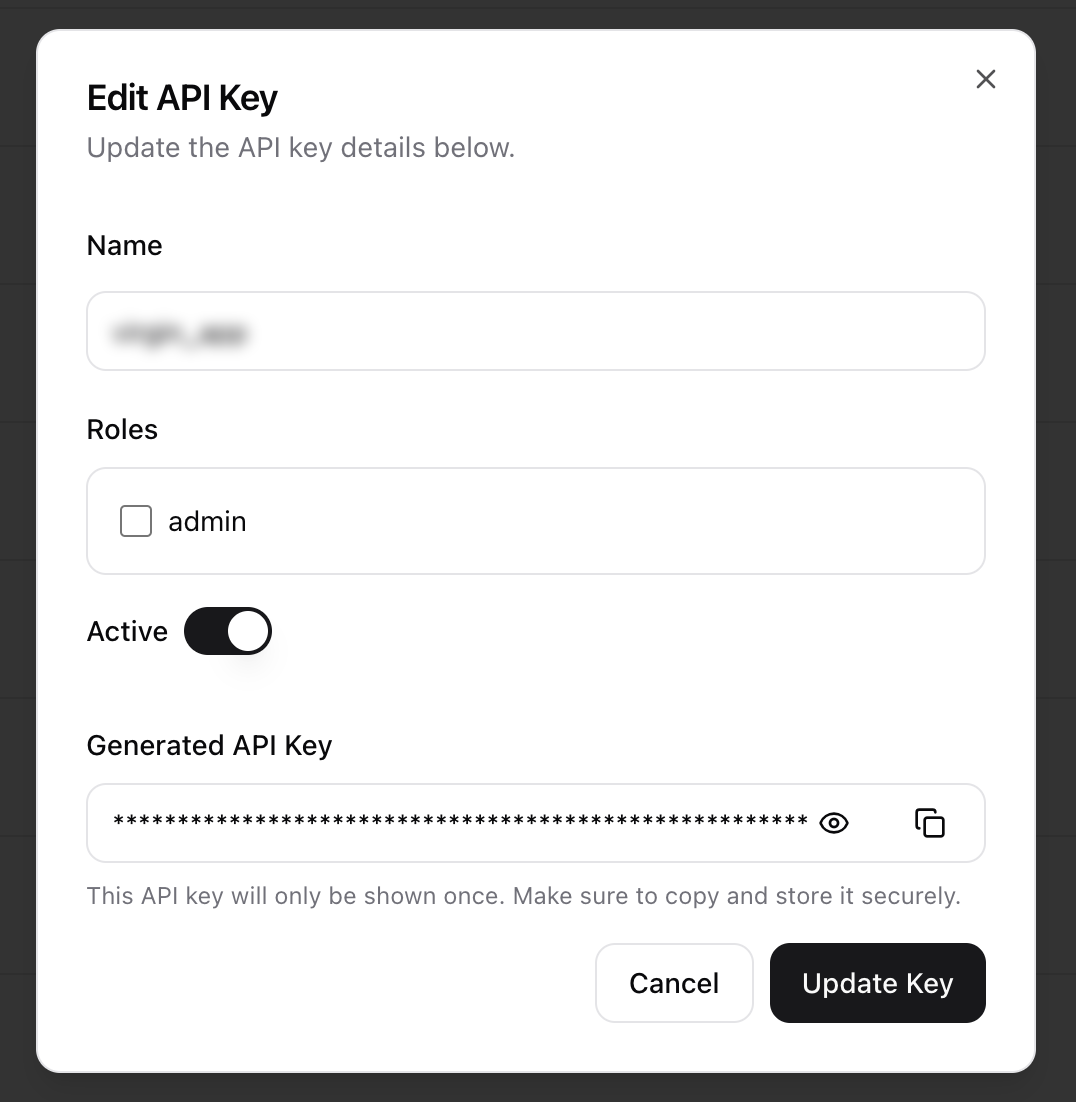
- Click in the Action column.
- The same dialog used to create the key will appear, prefilled with the existing information.
- Make the necessary changes.
- Click Update Key to save the changes.