LLM Providers
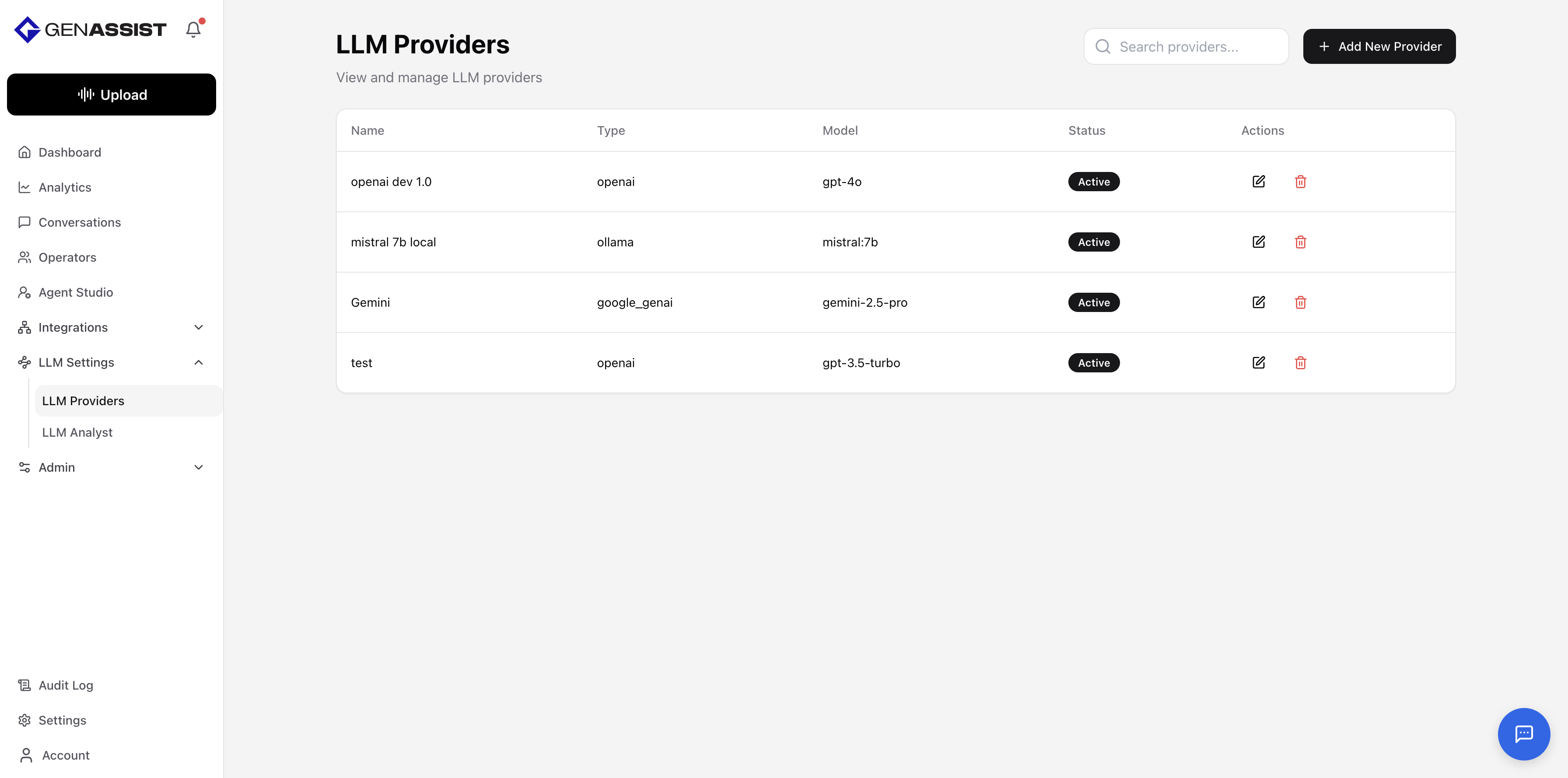
Large Language Model (LLM) Providers are the core AI engines that give your workflows reasoning, comprehension, and text generation capabilities.
To manage your LLM providers, navigate to LLM Settings → LLM Providers from the main navigation menu. This screen lists all configured providers.
Creating an LLM Provider
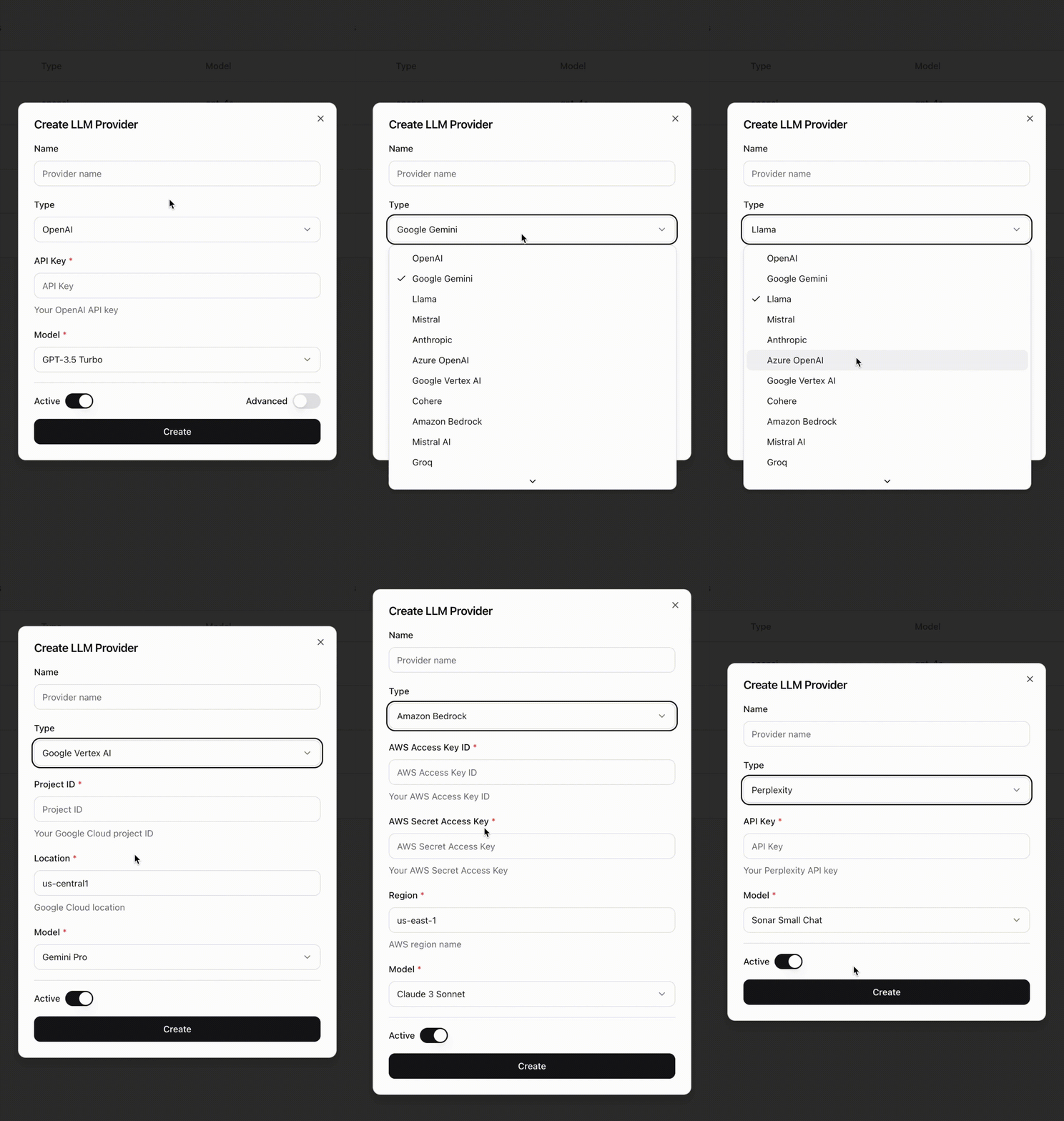
- Click the + Add New Provider button in the top-right corner.
- The Create LLM Provider dialog will appear.
- Provide a Name for the provider.
- Select the provider Type from the drop-down list. The required configuration fields (e.g., API Key, Base URL, Model) will change based on your selection.
- Toggle the Advanced switch to configure parameters like Temperature, Max Tokens, and Timeout to fine-tune the model’s behavior. (Optional)
- Ensure the Active toggle is enabled.
- Click Create.
Editing an LLM Provider
- Click in the Action column.
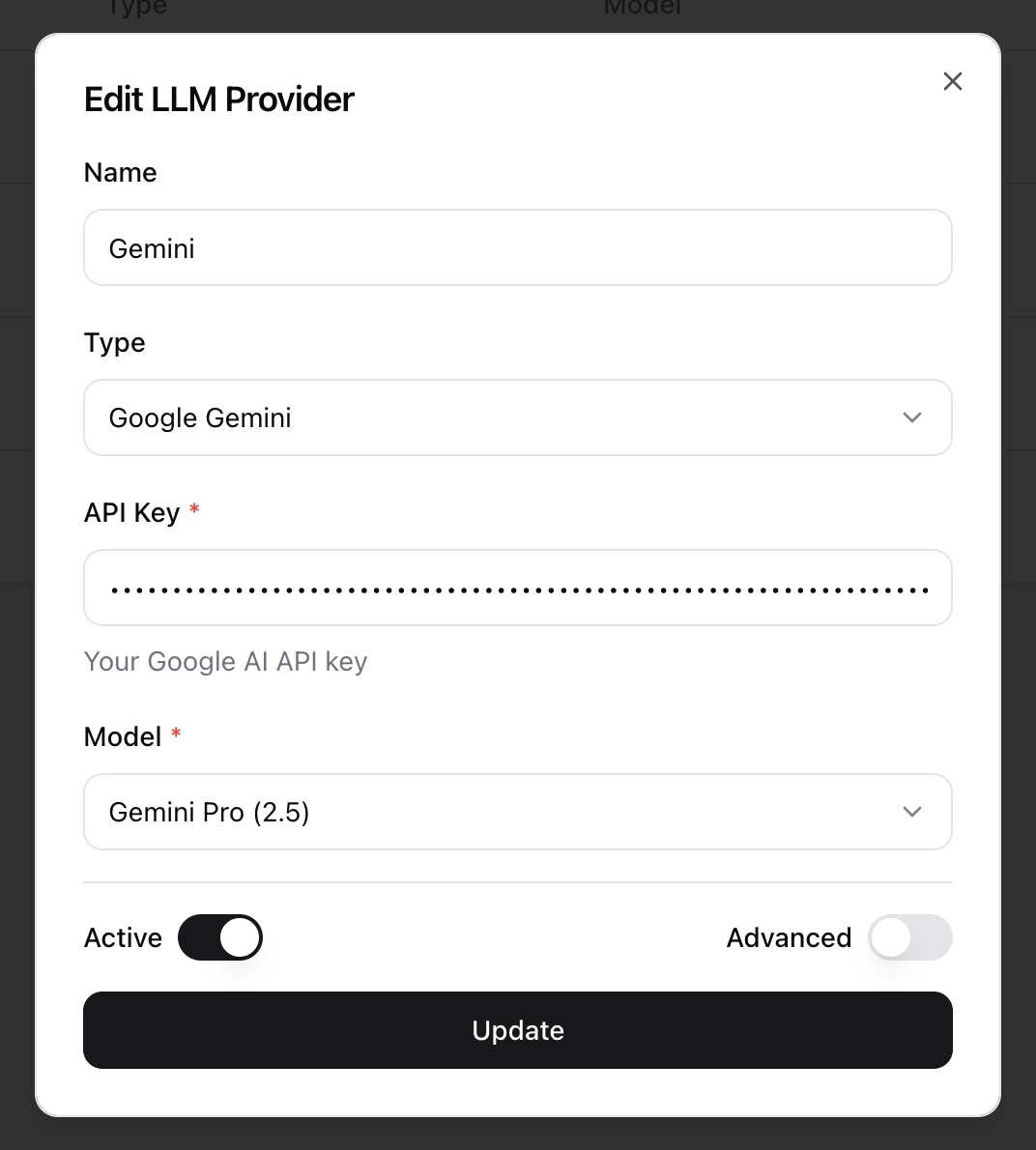
- The Edit LLM Provider dialog will appear, prefilled with the existing information.
- Make the necessary changes.
- Click Update to save the changes.
Deleting an LLM Provider
- Click in the Action column.
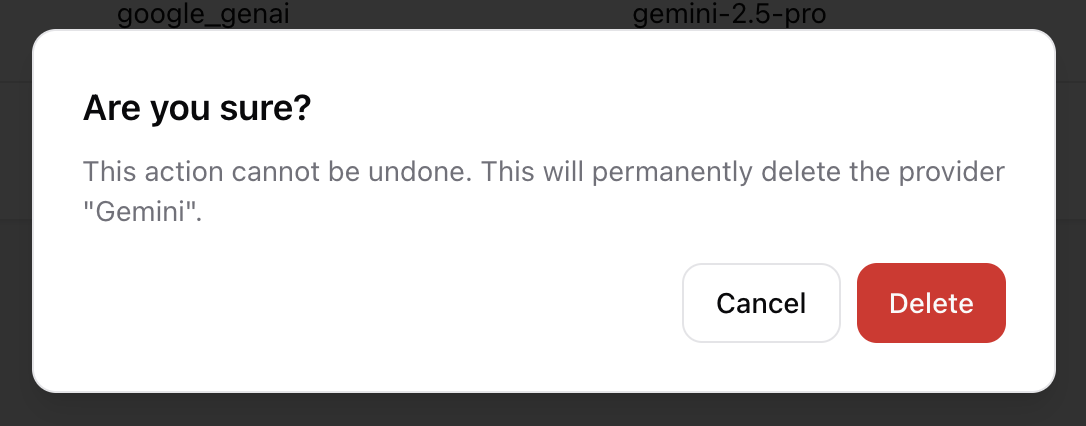
- A confirmation dialog will appear to prevent accidental deletion.
- Click Delete to permanently remove the LLM provider.