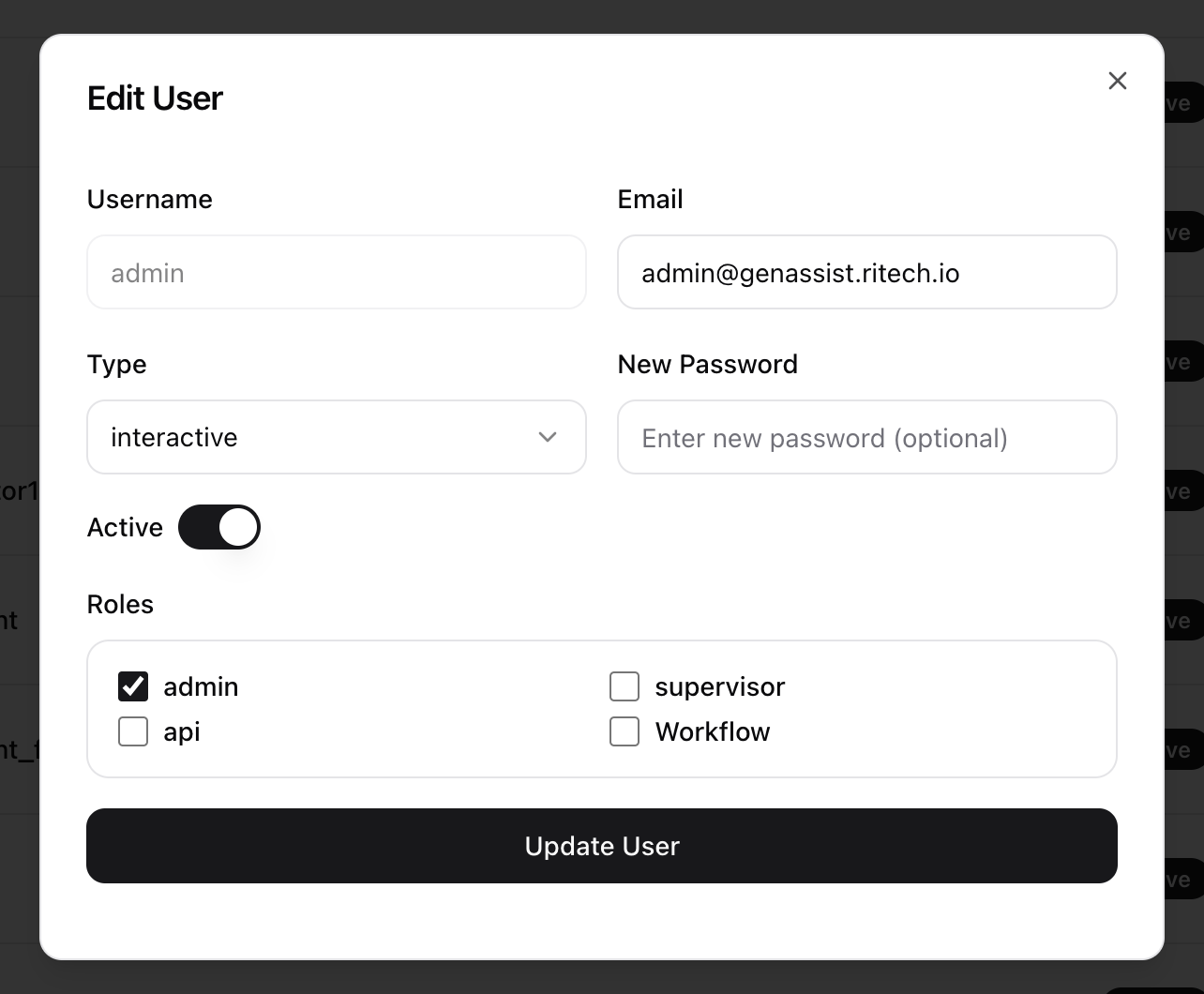
Users
A user has a unique identity, login credentials, and associated permissions based on their assigned roles and user type. Administrators can activate or deactivate accounts, reset credentials, and control access.
To manage users, navigate to Admin → Users from the main navigation menu. This will display a list of all existing users.
Creating a User
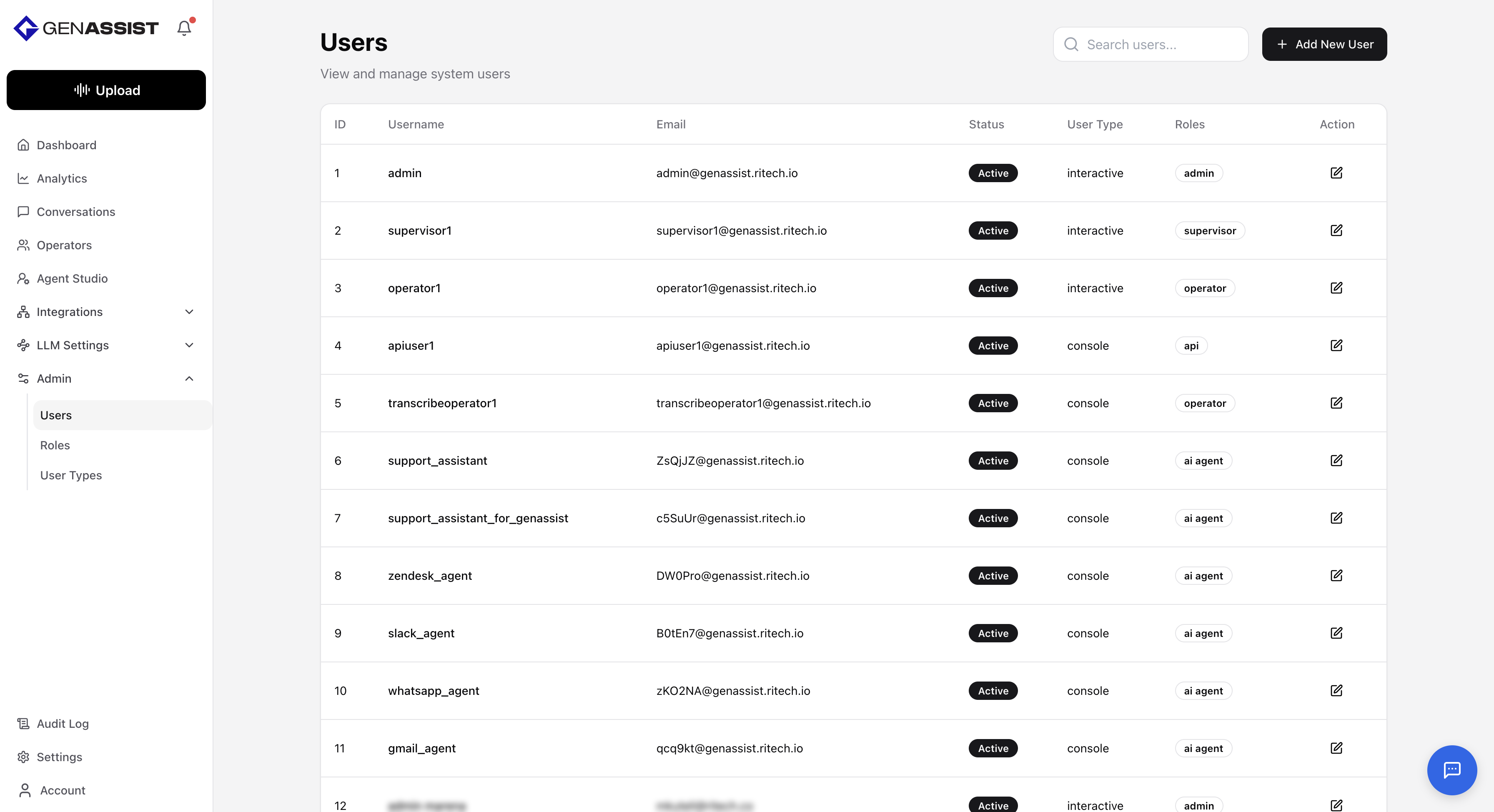
- Click the + Add New User button in the top-right corner.
- The Create New User dialog will appear.
- Provide a Username for the user.
- Enter an Email address.
- Select a preconfigured user Type from the drop-down menu.
- Enter a Password.
- Toggle Active to control whether the user is active.
- Select all Roles the user must have.
- Click Create User.
Editing a User
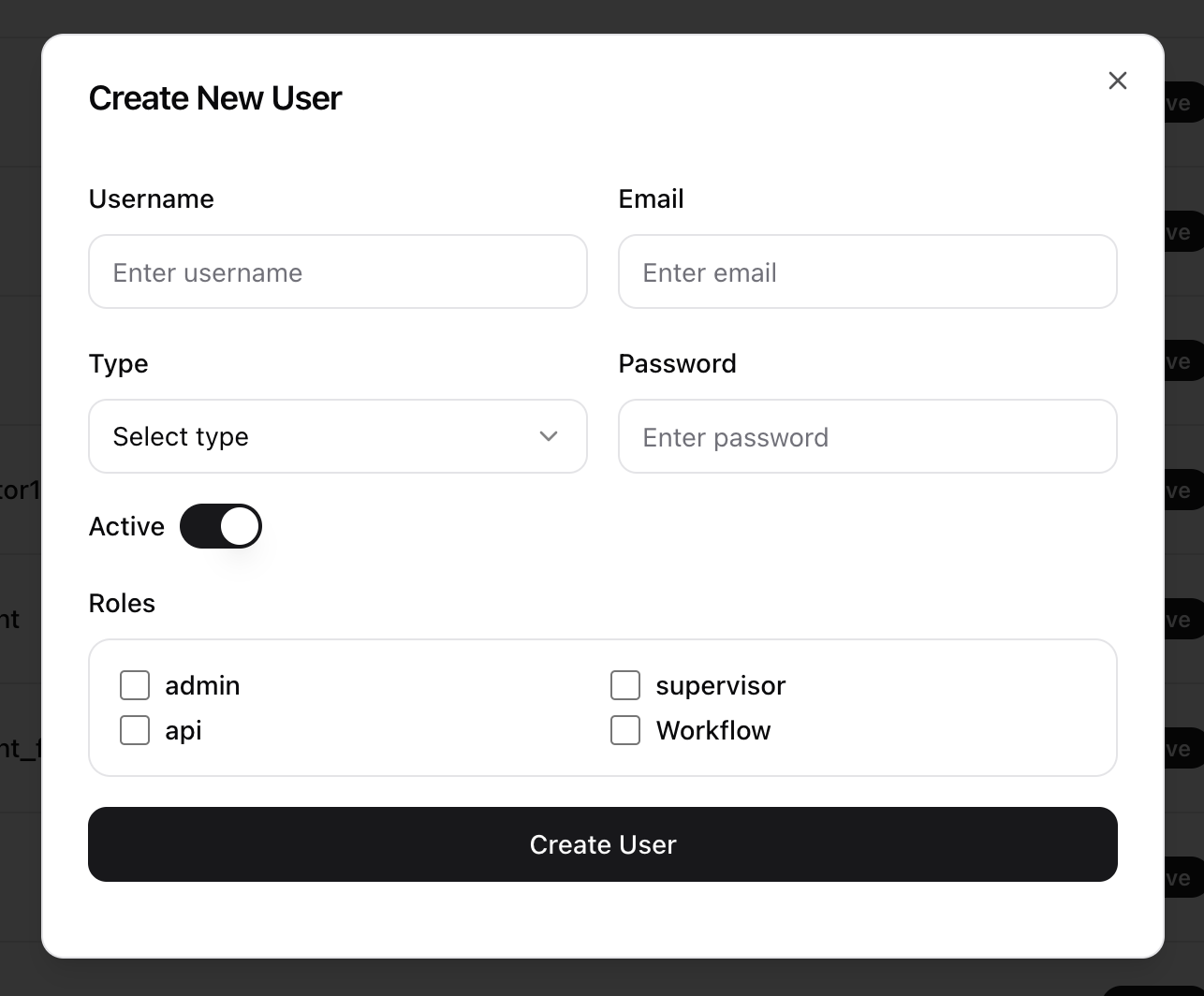
- Click in the Action column.
- The Edit User dialog will appear, prefilled with the existing information.
- Make the necessary changes. The Username cannot be changed after creation.
- Click Update User to save the changes.