Roles
Roles are sets of permissions that can be assigned to users. Roles help enforce access control by grouping permissions into reusable profiles. Assigning roles to users determines what actions they can perform in the application.
To manage roles, navigate to Admin → Roles from the main navigation menu. This will display a list of all existing roles.
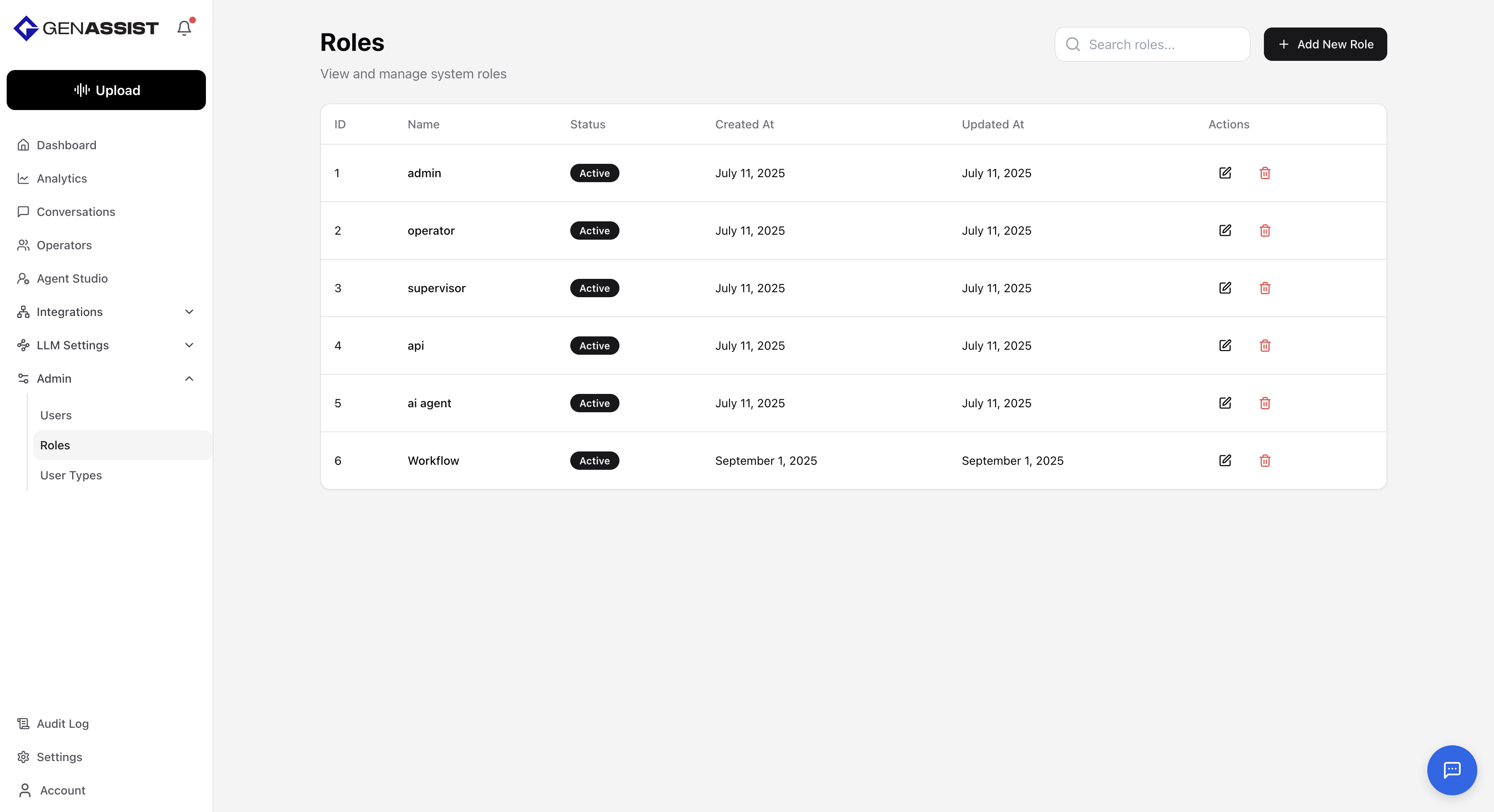
Creating a Role
- Click the + Add New Role button in the top-right corner.
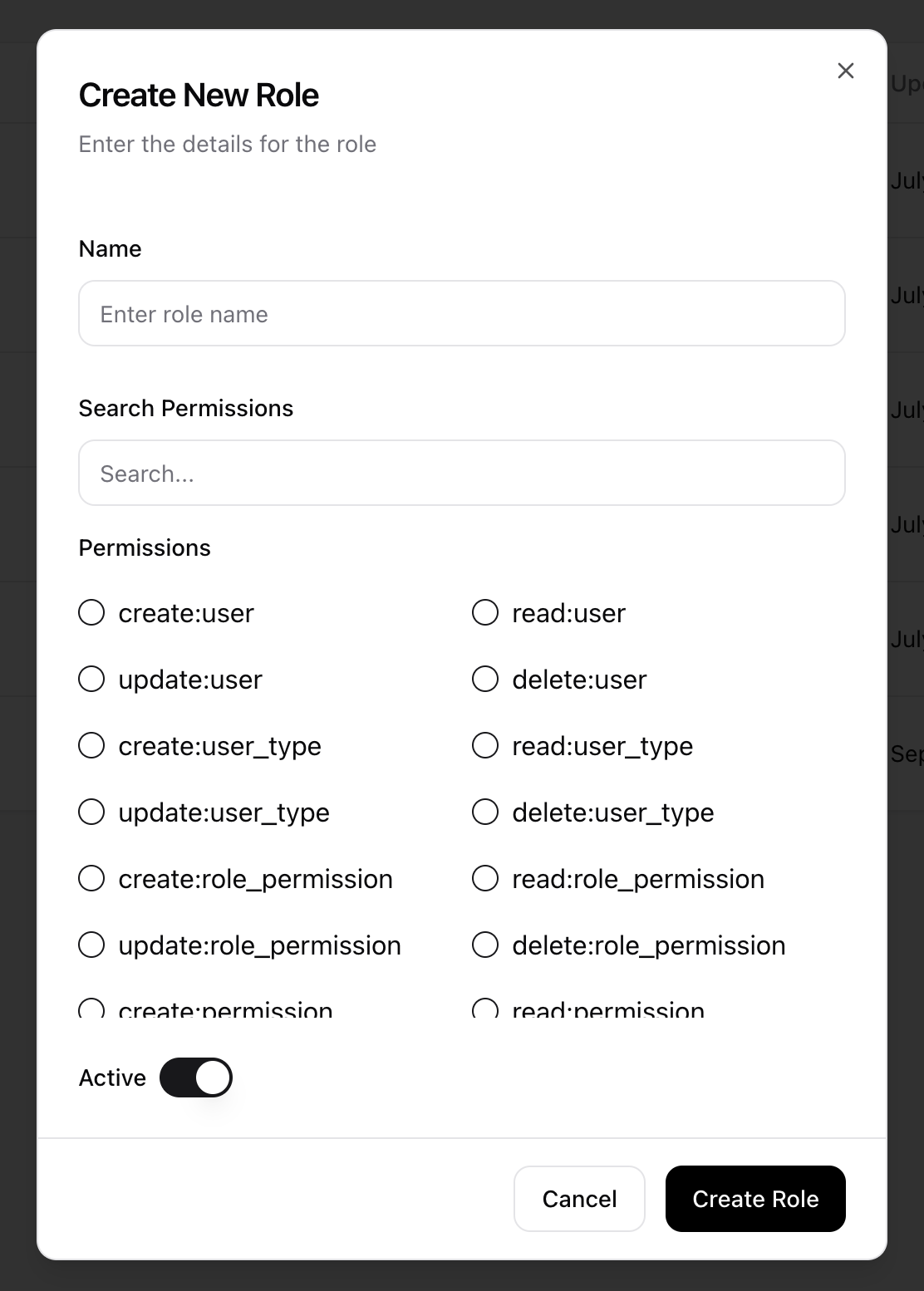
- The Create New Role dialog will appear.
- Provide a unique Name for the role.
- Select all Permissions the role must have.
- Toggle Active to control whether the role is active.
- Click Create Role.
Editing a Role
- Click in the Action column.
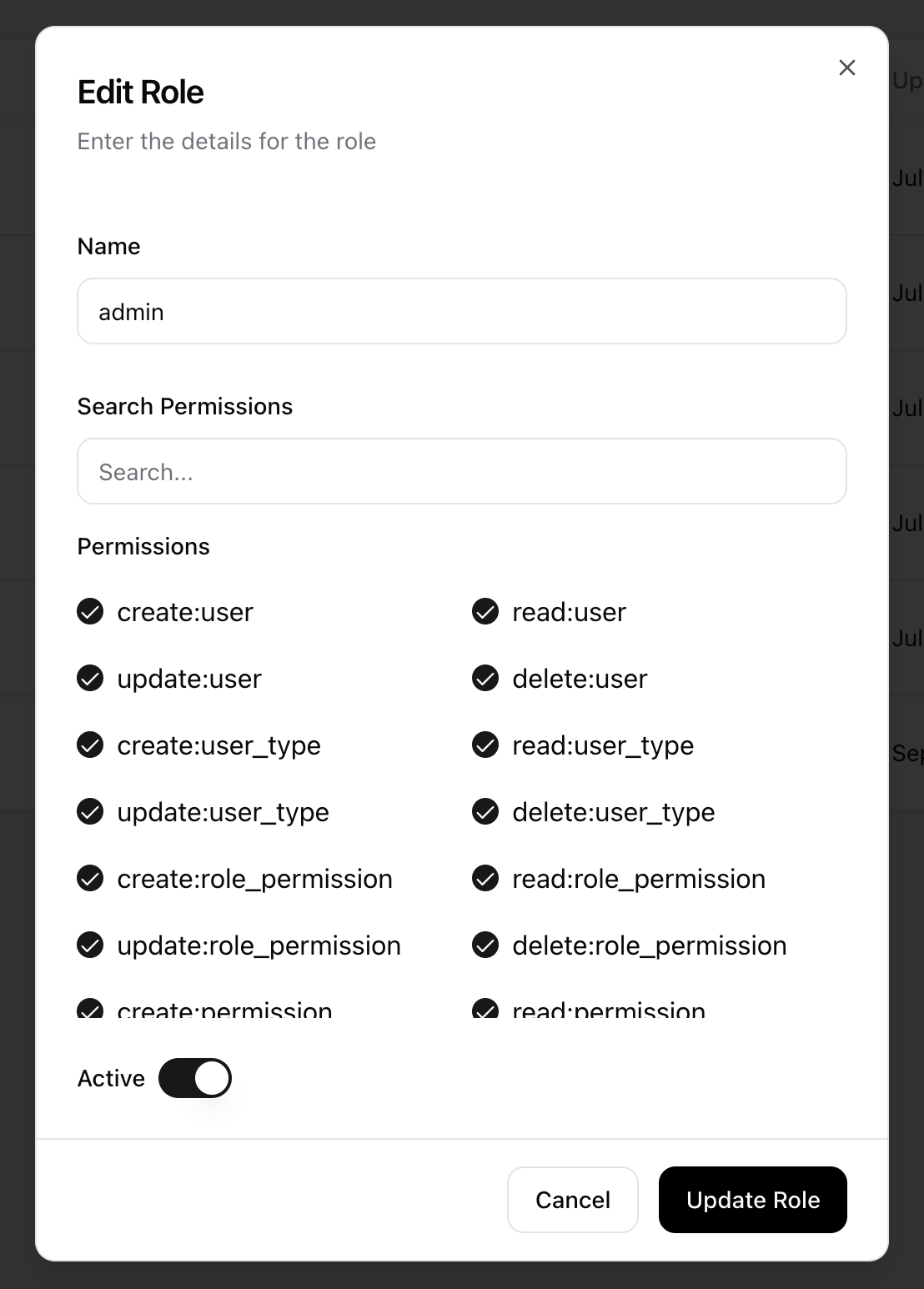
- The Edit Role dialog will appear, prefilled with the existing information.
- Make the necessary changes.
- Click Update Role to save the changes.
Deleting a Role
- Click in the Action column.
- A confirmation dialog will appear to prevent accidental deletion.
- Click Delete to permanently remove the role.
